How to Repair a Damaged or Corrupted PDF
4 min read
PDF will not open or shows errors? See what Repair PDF can fix, what it cannot, the common causes of damage, and how to read its repair report.
A PDF that will not open, opens as a blank window, or complains that the file is damaged is often fixable. The text and pictures may still be in the file while the "index" that tells a reader where everything is has been broken. Repair PDF rebuilds that index and recovers what it can.
It cannot bring back data that is not in the file. This guide explains what it does, how to read its report, and what to try when it is not enough.
Why PDFs get damaged
- An incomplete download. The connection dropped and the file was cut off before the end.
- A truncated email attachment or a failed copy to a USB drive or network folder.
- A faulty export from software that wrote the file wrongly.
- Extra data added in front of the file, such as text from a web page or a mail gateway.
In all of these, the end of the file or its internal table is missing or wrong. The pages themselves may be intact.
Step by step
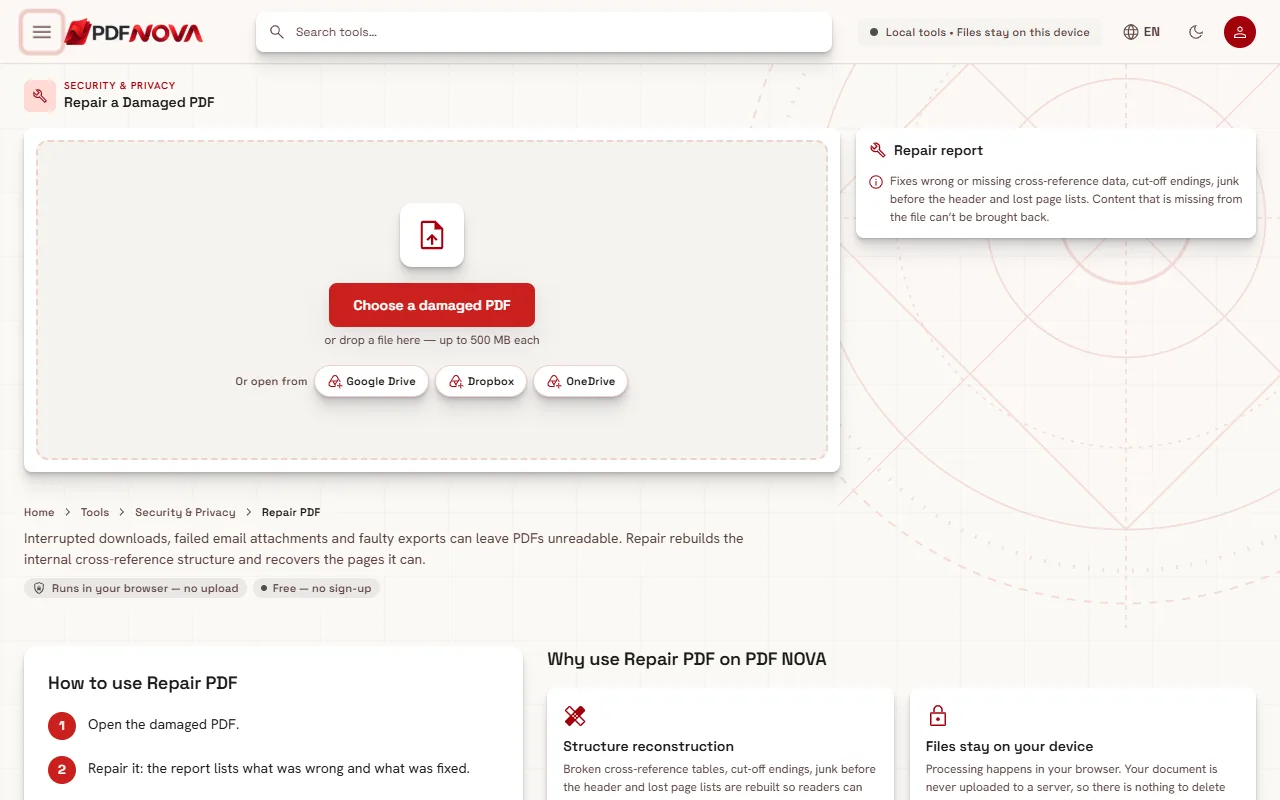
- Open Repair PDF and select the file with Choose a damaged PDF, or drop it onto the page.
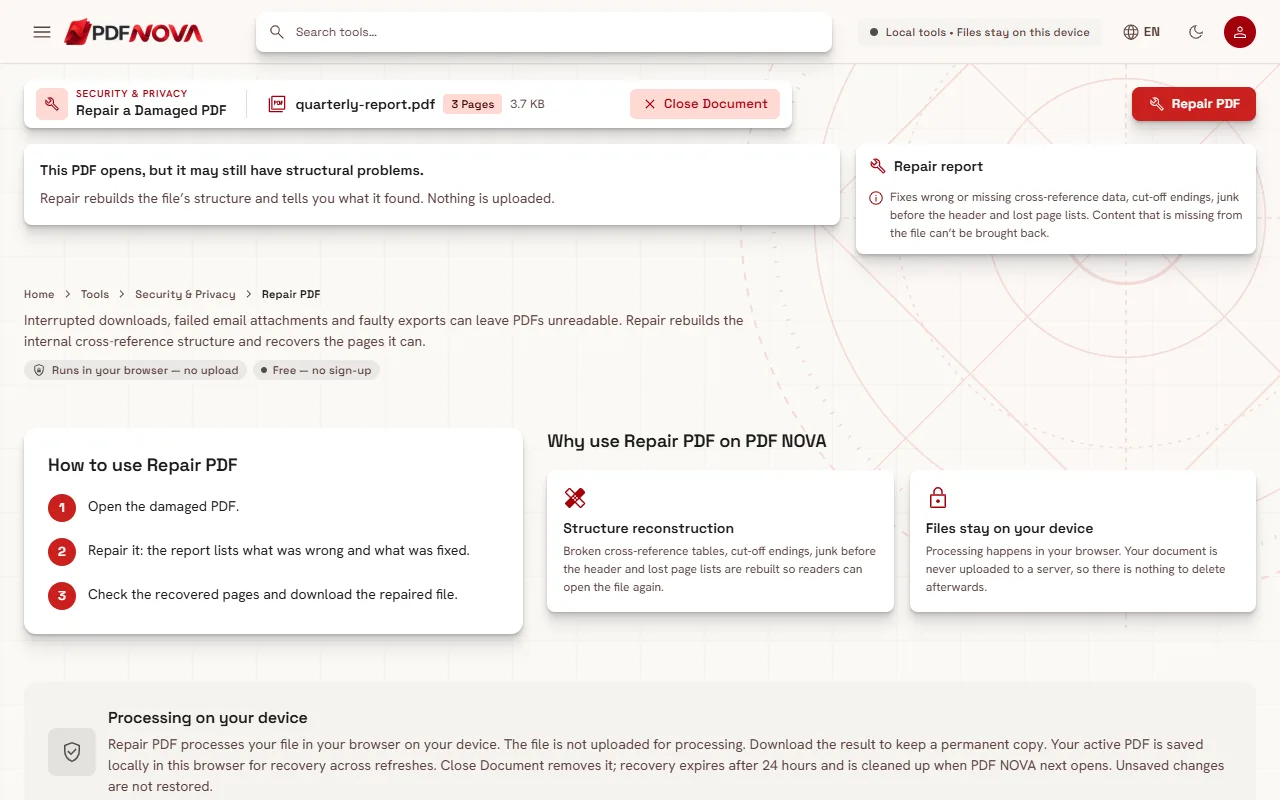
- Read the status. It says either "This file can't be opened as it is." or "This PDF opens, but it may still have structural problems."
- Select Repair PDF. While it works you see "Reading the file and rebuilding its structure…".
- Read the Repair report. Problems found lists what was wrong and Repairs made lists what was done.
- Check the Recovered pages and download the repaired file.
What the repair does
The tool reads the raw bytes of the file and checks the header, the end marker and the cross-reference table, which is the index that points to every object. It can report problems such as:
- The PDF header is missing, or there is unexpected data before it.
- The end of the file is missing and it may have been cut off.
- The cross-reference pointer or table points to the wrong place.
- The list of pages is missing.
Repairs follow from that: removing data before the header or damaged data at the end, writing a new cross-reference table and file trailer, or, when the page list is lost, finding the pages and putting them back in file order. The report asks you to check the order in that case.
If the structure cannot be mended in place, the pages are copied into a new file. The report then says that bookmarks and form fields could not be kept. If the file was already fine, it says "No structural problems. The file was rewritten cleanly."
What it cannot do
The page says it plainly: content that is missing from the file cannot be brought back. In practice:
- A download cut off halfway cannot be completed; pages that were never received are gone. The fastest fix is to download the file again or ask the sender for a new copy.
- If the damage is inside a page's content or in an image, that page may come back blank or not at all. The result title tells you how many pages were recovered, so compare with the page count you expect.
- The repaired file is a rewritten copy. Your original is not changed, so keep it until you are happy with the result.
Open the download and flip through it before you rely on it, especially if the report mentions that pages were put back in file order.
If the file is password-protected
Repair cannot read an encrypted file. The status says "This PDF is password-protected." and suggests unlocking it with its password first, then repairing the unlocked copy. Use Unlock PDF, as described in unlocking a PDF you know the password for. Without the password nothing can be done.
After the repair
Once the file opens, you can use other tools normally:
- Lighten it if it is heavy: see reducing a PDF's size for email.
- Keep the good pages with Split PDF, or rebuild a document from parts with Merge PDF.
- For a scan that comes back as pictures only, run OCR: making a scanned PDF searchable.
Several tools, such as Protect PDF and Unlock PDF, suggest running Repair first when they cannot read a file, so it is a good step before encrypting or converting a stubborn document.
Privacy
Repair PDF runs in your browser and the page says nothing is uploaded. This is useful for damaged files that you cannot easily share. See whether online PDF tools are safe for more.
FAQ
Is Repair PDF free?
Yes. It runs without an account.
Will it recover every page?
Not always. It recovers what is still in the file. The report and the recovered page count show what was saved.
Can it fix a PDF that only partly downloaded?
It can repair the cut-off ending and recover the pages that arrived, but it cannot create the missing pages. Download the file again if you can.
Will bookmarks and form fields survive?
Sometimes not. If the pages had to be copied into a new file, the report says bookmarks and form fields could not be kept.