Unlock a PDF: Remove a Password You Know
4 min read
Remove the password from a PDF when you know it. Learn the difference between an open password and a permissions password, and what unlocking cannot do.
If a PDF asks for a password every single time you open it, and you have the password, you can save an unlocked copy and stop typing it. Unlock PDF does exactly that: you give it the password, and it writes a new file with the protection removed.
It is important to know what it does not do. It is for files you are allowed to open. It does not guess, crack or bypass passwords, and it cannot open a file whose password nobody remembers.
Two kinds of PDF password
A PDF can have two different passwords, and the tool handles both.
- The password to open is needed before the document can be read at all.
- The permissions password, also called the owner password, controls restrictions on printing, copying and editing. A file can open freely and still have these restrictions.
When you unlock a file, the result has neither: it opens without a password and has no restrictions. The tool checks this itself after writing the file and says so, and if that check fails, the file is not saved.
Step by step
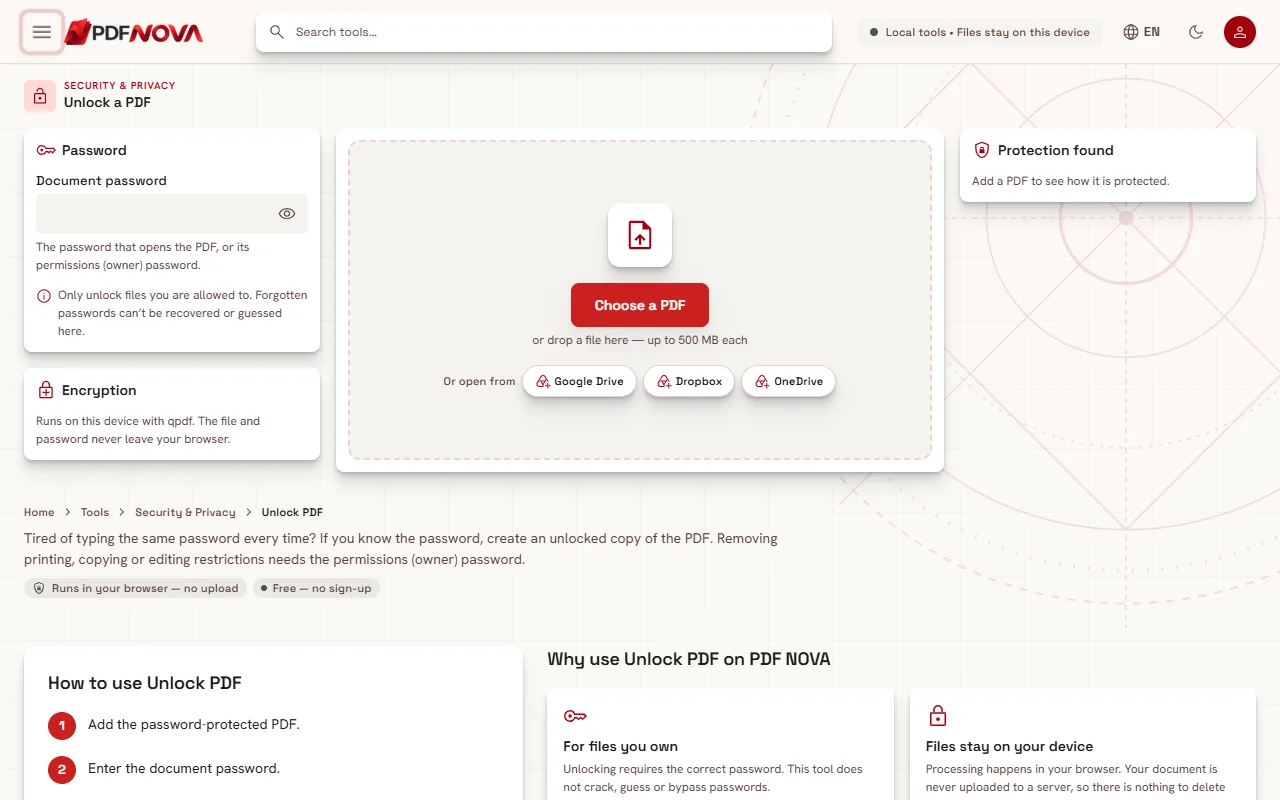
- Open Unlock PDF and choose the file with Choose a PDF, or drop it onto the page.
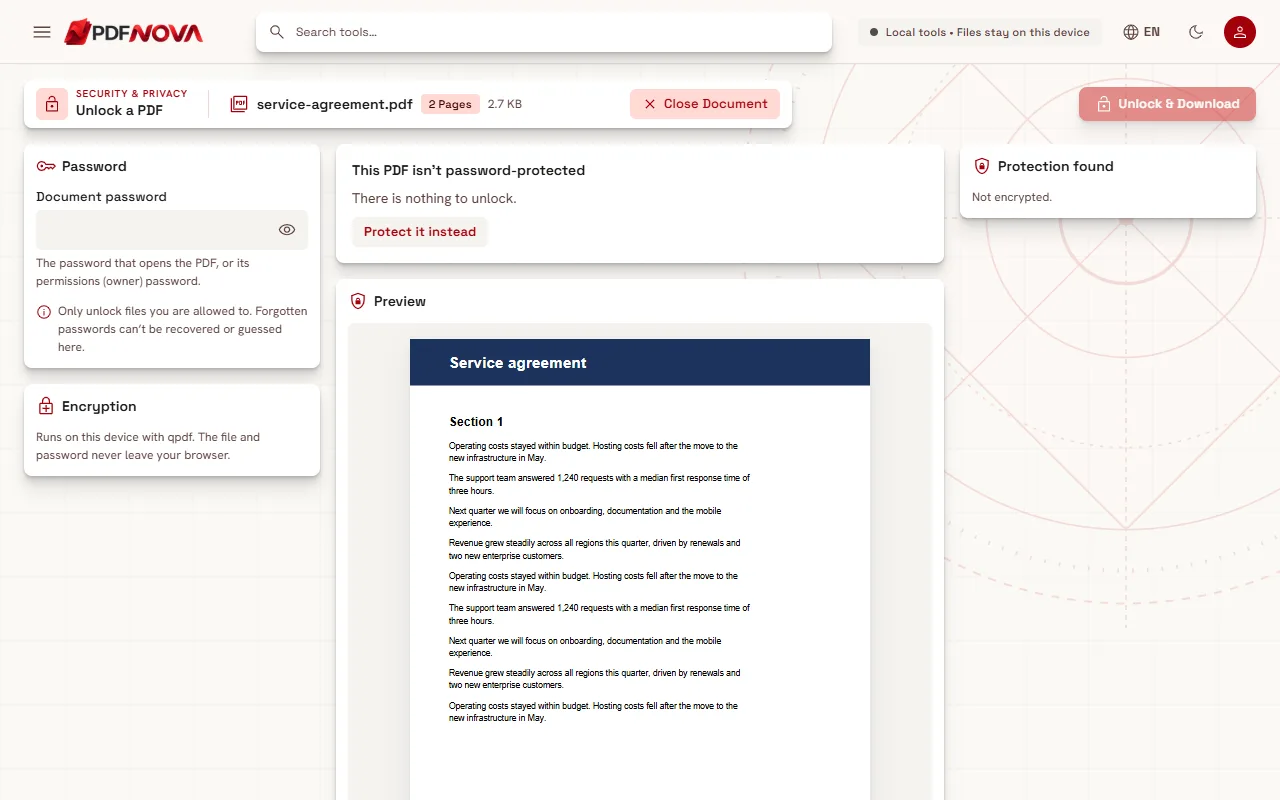
- Read the Protection found panel. It shows whether a Password to open is Required or Not required, the Encryption type, and the state of the Restrictions for printing, copying and editing. Until you unlock the file, some values show as "Hidden until unlocked" or "Hidden".
- Type the password into Document password. The eye button lets you check what you typed.
- Select Unlock & Download.
The result reads "Your PDF is unlocked". Your original file is untouched; you receive a new copy.
If the file has no password, the page says "This PDF isn't password-protected" and offers Protect it instead.
Which password do I type?
The field hint says it is the password that opens the PDF, or its permissions (owner) password. In practice:
- If the file will not open, type the password you use to open it.
- If it opens but you cannot print, copy or edit, type the permissions password. The page tells you "This PDF opens freely but restricts some actions" and asks for it.
- If the password you typed opens the file but the author also restricted it, you are asked for the permissions password to remove all protection.
Only the person who protected the file normally has the permissions password. If you are not that person, ask them.
What Unlock PDF cannot do
The page states it directly: forgotten passwords cannot be recovered or guessed here. There is no cracking mode and nothing is stored that could be looked up later, so the choices are to find the password (your password manager, the email that came with the file, the sender) or to ask the sender for an unprotected copy.
Please only unlock documents you are authorised to access. Removing protection from a file you do not have the right to open can be against the law or the document owner's terms.
Common errors
- That password is not correct. Check Caps Lock, the keyboard layout, and spaces copied from an email. If you have been given two passwords, try the other one.
- This PDF could not be decrypted. It may be damaged. The file structure may be broken. Try Repair PDF, as covered in repairing a damaged PDF. Repair cannot read an encrypted file, so if the file is protected and damaged, you need a working copy or a different download.
- This file could not be read as a PDF. The message suggests Repair PDF first, for the same reason.
Why unlock a PDF
- To stop retyping the password for a file you use often, on a device you trust.
- To merge, split, edit or compress the file. Merging PDF files and splitting them work on an unlocked copy.
- To print or copy from a document whose restrictions were set by you and forgotten about.
Remember that an unlocked copy is readable by anyone who gets it. If you still need protection afterwards, add it again with Protect PDF, as explained in protecting a PDF with a password. To remove hidden data like the author name, see removing PDF metadata.
Privacy
Unlock PDF runs on your device with the qpdf engine. The page says the file and password never leave your browser: nothing is uploaded. For general background, see whether online PDF tools are safe.
FAQ
Is Unlock PDF free?
Yes. It runs without an account.
Can it remove a password I forgot?
No. It needs the correct password and does not guess or crack anything.
Does unlocking change my original file?
No. You download a new unlocked copy.
The file opens but I cannot print it. What now?
It has a restriction, not an open password. Enter the permissions (owner) password in Document password.