What Is PDF/A and When Do You Need It?
5 min read
PDF/A is a PDF format made for long-term archiving. Learn what it requires, when it is asked for, and how to convert a PDF to PDF/A-2b online.
Sooner or later someone asks for "a PDF/A" version of a document. It might be a university submitting a thesis, a court or tax portal, a company archive or a public tender. The request is easy to make and surprisingly hard to understand: a PDF/A file looks like any other PDF, yet an ordinary PDF can be refused.
This guide explains what PDF/A is, why it exists, how its versions differ and how to convert a file with PDF to PDF/A, including what the tool does and does not guarantee.
What PDF/A means
PDF/A is a family of international standards, published as ISO 19005, for PDFs meant to be stored for many years. The "A" stands for archive. An ordinary PDF can depend on things that may not exist in twenty years: fonts installed on the author's computer, a link to an online resource, an embedded video, a script that runs when you open it.
PDF/A restricts the format so that the file is self-contained and displays the same way in the future. In practice, a PDF/A file must:
- embed all the fonts it uses, so text looks the same on any system
- describe its colours in a way that does not depend on a particular device
- avoid features that cannot be preserved, such as encryption, JavaScript, audio and video
- carry its metadata in a standard form
None of this changes the visible content. A PDF/A page should look like the original page. What changes is what is inside the file.
The versions and levels
PDF/A comes in parts, numbered 1, 2, 3 and so on, and each part has conformance levels written as a letter after the number.
- PDF/A-1 is the first version, based on an older PDF version. It is the strictest.
- PDF/A-2 builds on a newer PDF version and allows more, such as better compression and transparency.
- PDF/A-3 is like part 2 but also allows other files to be embedded in the PDF, for example the XML data of an electronic invoice.
The level tells you how much is guaranteed. Level b (basic) guarantees that the page looks the same when displayed. Level a (accessible) adds a tagged structure so that screen readers can follow the document. Level u adds reliable Unicode text, so text can be searched and copied.
So "PDF/A-2b" means part 2, basic level: the visual appearance is preserved for the long term, without the extra tagging of level a.
When you need it
You usually need PDF/A only because someone demands it. Typical cases are:
- electronic archiving rules in companies and public administrations
- thesis and dissertation deposits at universities
- some court, tax or registry portals
- cultural heritage and library projects
Always read the instructions you were given. They tell you which part and level they accept. A requirement for PDF/A-1b is not satisfied by a PDF/A-2b file in every system, and a requirement for level a cannot be met by simply converting a file that has no structure.
If nobody asked for PDF/A, you do not need it. For everyday sharing, an ordinary PDF is smaller, simpler and fine.
Convert a PDF to PDF/A
Here is how to do it with PDF to PDF/A:
- Open the page and add your PDF.
- Click Convert & Download.
- Wait while the file is uploaded, converted and downloaded.
- Validate the result against the requirements of whoever asked for it.
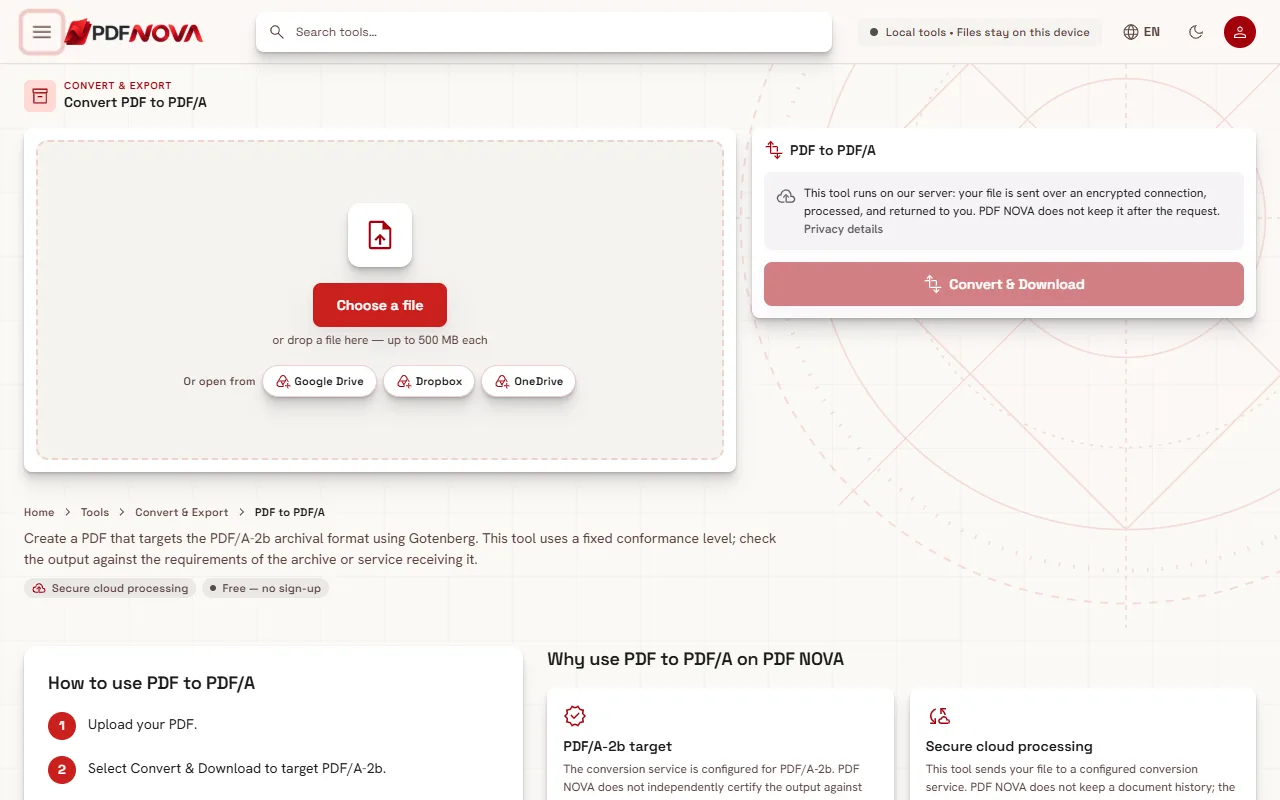
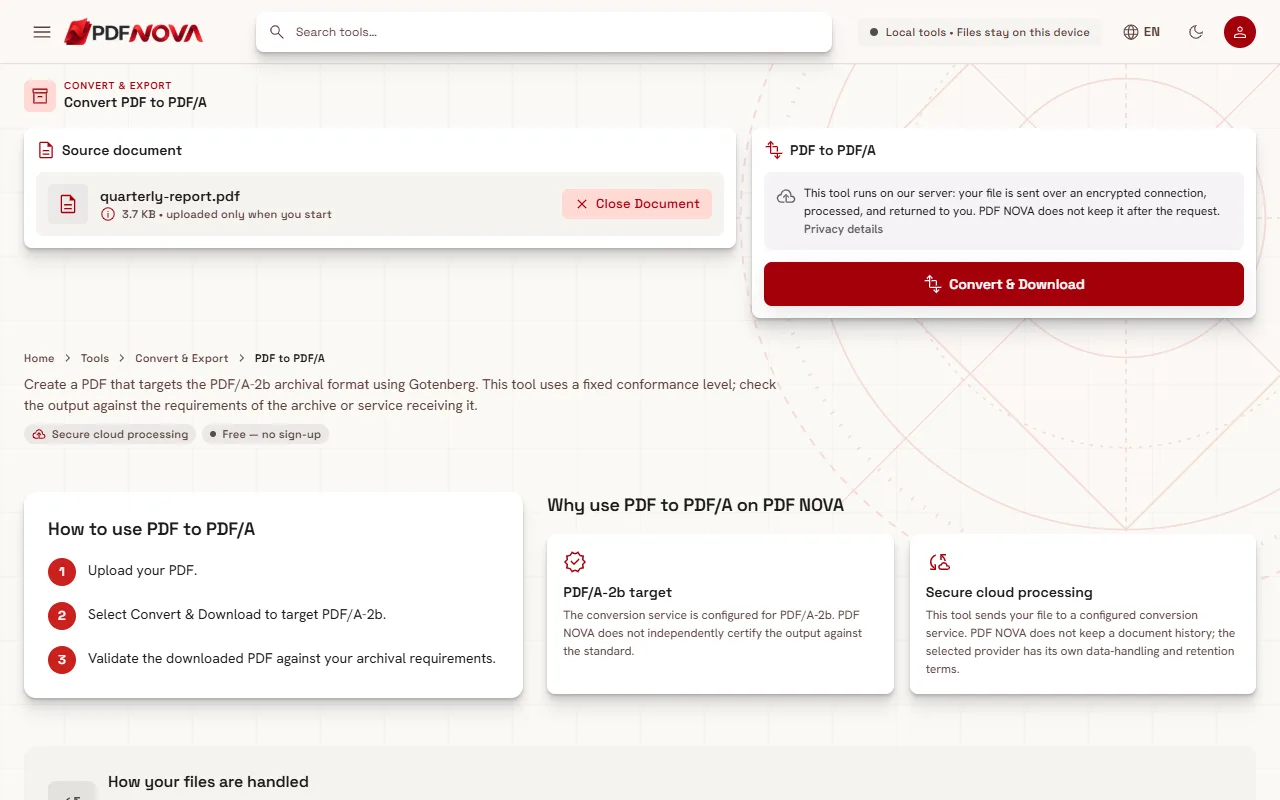
The tool targets PDF/A-2b and has a fixed conformance level. You cannot choose PDF/A-1b, PDF/A-3b or level a here. If your recipient requires another one, this tool will not produce it.
An honest note about validation
PDF NOVA does not independently certify the output against the standard. The conversion is done by a service configured to target PDF/A-2b, but whether a particular file passes depends on the original and on the checker used by the recipient. Before you submit an important document, run the result through the validator your recipient names, or a standalone validation program such as veraPDF, which is an open-source checker for the PDF/A family.
Some originals convert better than others:
- Encrypted or password-protected PDFs. PDF/A forbids encryption, so remove the protection first. If you know the password, you can remove it first with Unlock PDF, then convert the file.
- Damaged files. A file that does not open normally may fail to convert. Try Repair PDF first.
- Scanned documents. A scan converts fine as a picture, but it contains no text. PDF/A-2b does not require text, but you may want a searchable file for your own use. See the guide on making a scanned PDF searchable.
- Documents with interactive forms, media or scripts. Features that PDF/A does not allow may be dropped or flattened. Check the result visually.
Do not expect the file to get smaller. Embedding fonts can make it larger. If size matters, see how to compress a PDF without losing quality, but test the compressed file against the archive requirements as well, since you must validate the final version.
If you start from a Word file, you can first turn it into a PDF with Word to PDF and then convert that PDF to PDF/A.
Privacy
Unlike most tools on PDF NOVA, this one works on a server. Your file is uploaded to a configured conversion service to produce the PDF/A. PDF NOVA does not save uploads in a document database or in application logs, and its own conversion service removes temporary files after each request. If an external provider is used, that provider has its own retention terms. For a confidential document, keep this in mind and decide whether an upload is acceptable. On the free plan the limit is 50 MB per file.
Frequently asked questions
Is PDF/A the same as a normal PDF?
It is a restricted version of PDF. Every PDF/A file is a PDF, but not every PDF is PDF/A. The restrictions make the file self-contained for long-term storage.
Can I convert PDF/A back to a normal PDF?
A PDF/A file opens in any PDF viewer and can be edited like other PDFs. If you modify it, though, it may no longer meet the standard, so convert it again at the end.
Is PDF/A the same as an accessible PDF?
No. Only the level a conformance involves the tagged structure that screen readers use. The tool here produces level b.
Is the tool free?
Yes. PDF to PDF/A is available on the free plan, within the file size limit, with no watermark.
Is PDF/A legally required?
Only where a rule, a contract or a portal says so. Requirements differ between countries and organisations, so check the exact wording of the request you received.