Fix a Typo in a PDF Without the Word File
6 min read
Found a typo after exporting to PDF? Correct it right in the PDF, in the document's own font, without the Word file or a full re-export. Free, in your browser.
You export a contract, a report or a letter to PDF, send it, and only then see it: "recieving" instead of "receiving", a doubled word, a missing letter in a name. The Word file is on another computer, was never yours, or no longer matches the PDF. Rebuilding the whole document for one wrong letter feels absurd.
You do not need the original file. Open the PDF in Edit PDF Text, click the line with the typo, correct the letters and download the result. PDF NOVA changes the letters inside the file itself, in the font, size and spacing found in the document, and the rest of the page stays exactly where it was. It runs in your browser, the file is not uploaded, and it is free with no account and no watermark.
Step by step: correct a typo in a PDF
- Open Edit PDF Text and choose your PDF, or drop it onto the page.
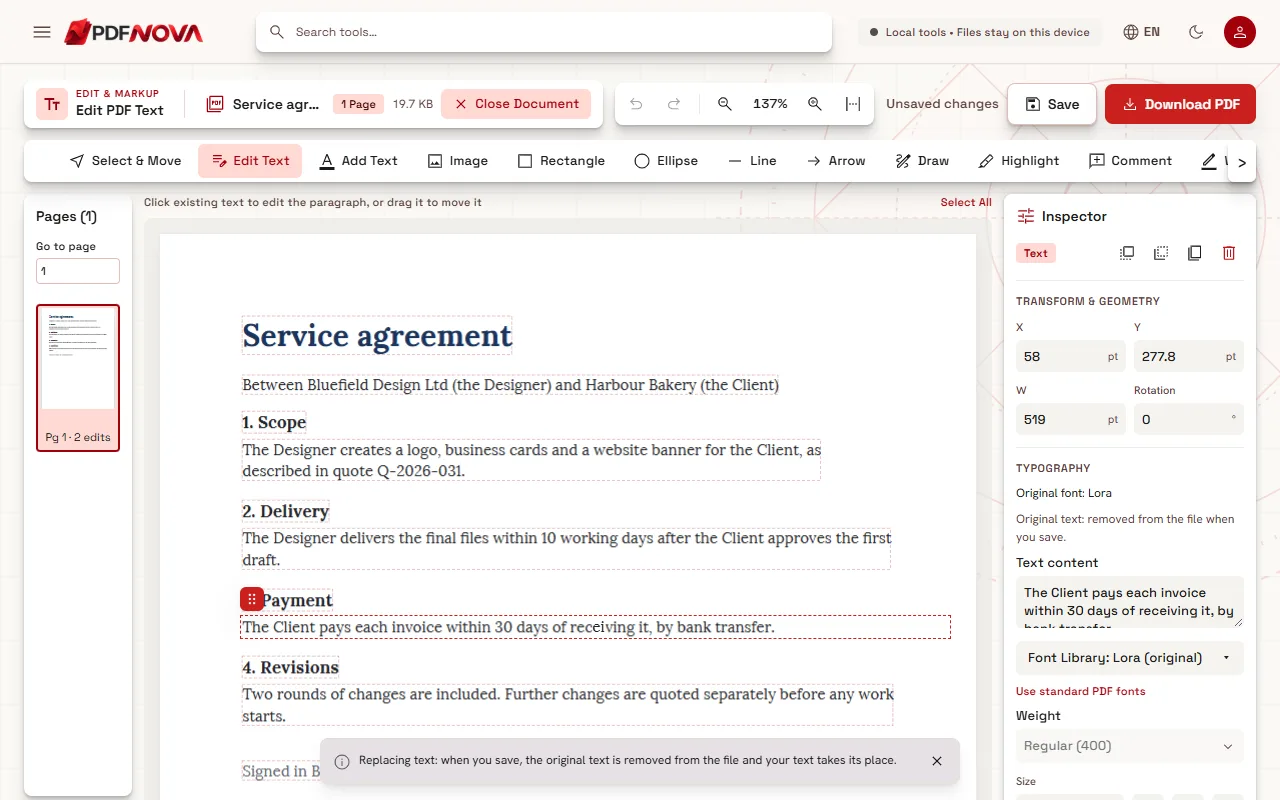
- Check that Edit Text is selected in the tool row above the page. The text the editor found is outlined with thin dashed boxes.
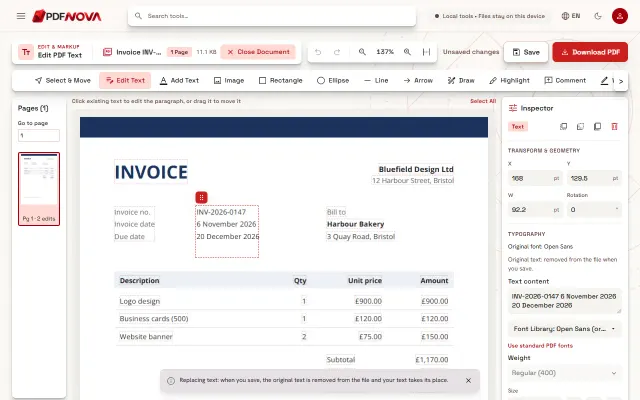
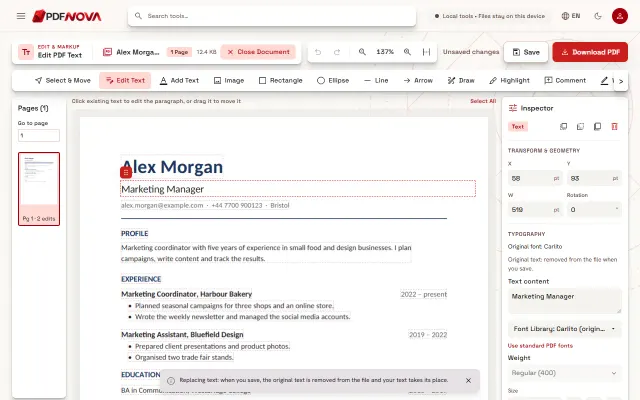
- Click the line with the typo. Its paragraph opens for editing and the Inspector on the right shows what the editor found, for example "Original font: Lora".
- Correct only the wrong letters. You do not need to retype the sentence: the editor compares your text with the original and rewrites only the characters that changed.
- Click outside the text to finish, look at the line once more, then select Download PDF. The corrected copy is downloaded as a new file; your original is never overwritten.
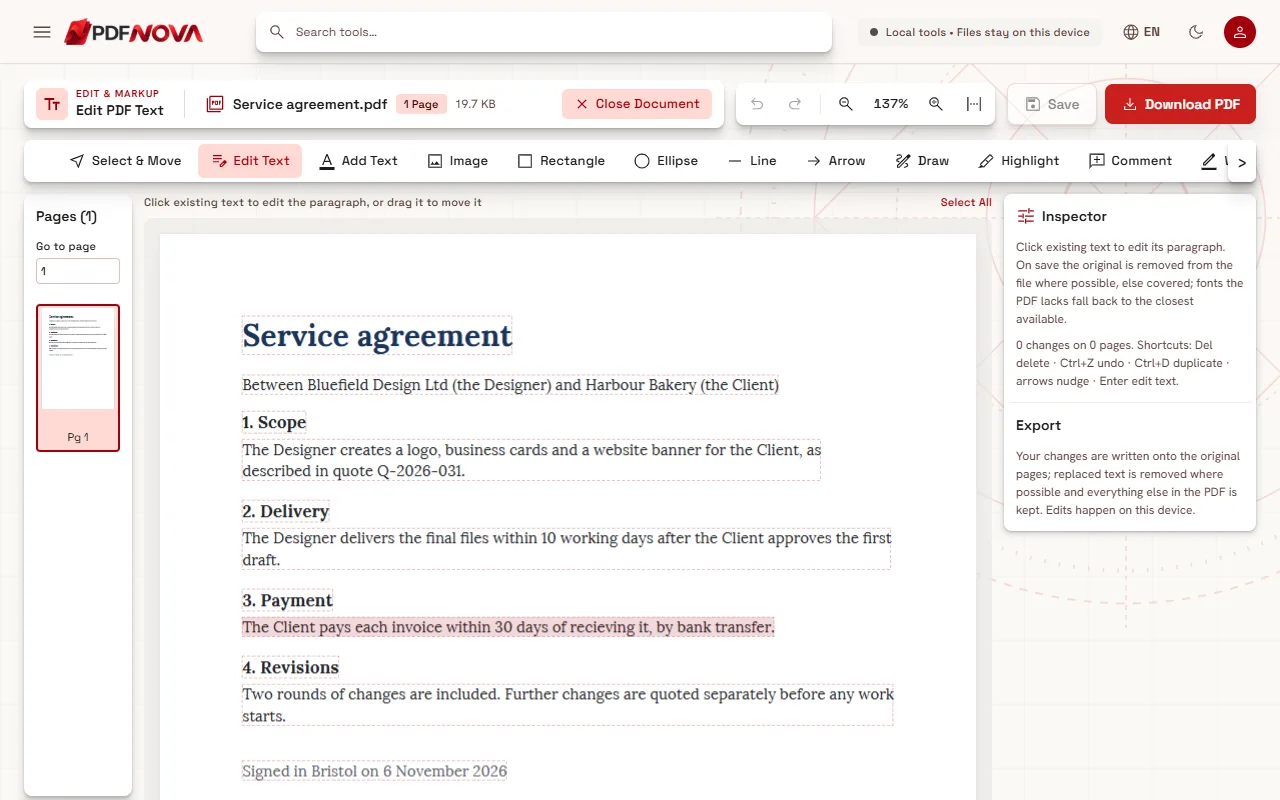
While you type, a notice at the bottom of the page says: "Replacing text: when you save, the original text is removed from the file and your text takes its place." The Inspector repeats it for the selected text: "Original text: removed from the file when you save."
Made a mistake? Undo (Ctrl+Z) and Redo (Ctrl+Shift+Z) are in the top bar, and Save keeps your changes on this device without downloading anything yet.
What happens to the rest of the line
This is where many online editors fail: you fix one word and the whole line jumps, or the corrected word appears in a different font on top of the old one. PDF NOVA works the other way round. It keeps the original text object and swaps the letter codes inside it, so the corrected word keeps its font, size, colour, letter spacing and position.
When the new letters have the same width as the old ones, as most digits and many accents do, nothing else moves at all. When the correction is wider or narrower, as in "recieving" to "receiving" or an added letter, the rest of that word moves by the difference and the space after it absorbs the change, so the next words stay where they were. Only when the space cannot absorb it, for example when a much wider word is followed by a very narrow gap, does the rest of the line move, the same way a word processor would push it.
If your fix adds a line break or makes the text run into the next text on the same row, the editor lays the paragraph out again. It keeps the paragraph's size, colour and line spacing, but check the result more carefully in that case.
Is the typo really gone from the file?
Yes, in the normal case. When you download, the misspelled word is removed from the page content and the corrected one takes its place. If you search the new PDF for the old spelling (Ctrl+F in any PDF reader), it is not found, and copying the line gives the corrected text.
There are a few cases where rewriting the text would not be safe: text inside a shared page object, text that also works as a clipping shape, or a font the editor cannot read well enough. Then the editor covers the old text with the page colour, writes your correction on top, and tells you so in the Inspector before you save: "Covered, original kept underneath", followed by the reason. Nothing is hidden from you. The difference between covering and removing is explained in editing PDF text versus covering it with a white box.
When a typo cannot be fixed directly
- The page is a scan. A scanned page is a photo of text, but the editor reads its lines on your device (OCR), so you can click a line and retype it directly, with no conversion. Check the line you change, because OCR can misread, and remember that the old words stay in the picture underneath (the editor shows "Covered, original kept underneath").
- The PDF is digitally signed. The editor warns you when the file opens: saving any change invalidates the signature. For a signed contract, ask the sender for a corrected copy and sign that one instead.
- The font lacks the letter you need. Exported PDFs often contain only the letters the document uses. If your correction needs a new one, the editor writes it in the closest matching font and says which one. Our guide on why the font changes when you edit a PDF covers this in detail.
- The file asks for a password. Remove the protection with Unlock PDF first, if you are allowed to.
Several typos, or a whole sentence
You can correct as many lines as you like before downloading; the page list on the left counts the edits on each page. For a sentence that changes completely, editing still works, but the more text you rewrite, the more the result depends on the letters available in the document's font. When a whole section has to be rewritten, going back to the source, or converting with PDF to Word, may be quicker.
For other kinds of changes, such as dates, names or amounts in an invoice, see how to change a date or an amount in a PDF invoice. The general tour of the editor, with paragraph moves and new text boxes, is in how to edit text in a PDF online.
Privacy
Edit PDF Text processes the document in your browser. The PDF is read from your device, edited in memory and saved back to your device, so a confidential contract or report is not sent to a server.
FAQ
Will the person I send it to see that it was edited?
There is no visible mark, label or watermark, and the corrected word looks like the rest of the line. The file itself is saved again, so it is a new file, and if the original carried a digital signature, that signature no longer verifies.
Do I need Word, Acrobat or an account?
No. You need a browser and the PDF. Editing text on PDF NOVA is free and needs no sign-up.
Can I fix a typo on my phone?
The editor also opens on phones, with a page switcher above the page. Correcting a single word works, but a computer screen makes it much easier to check the line before you download.
What if the typo is in a heading in a different font?
Each paragraph keeps its own font. Click the heading and correct it the same way; the Inspector shows the heading's own original font.